Today
Every plant’s care, in one short list.
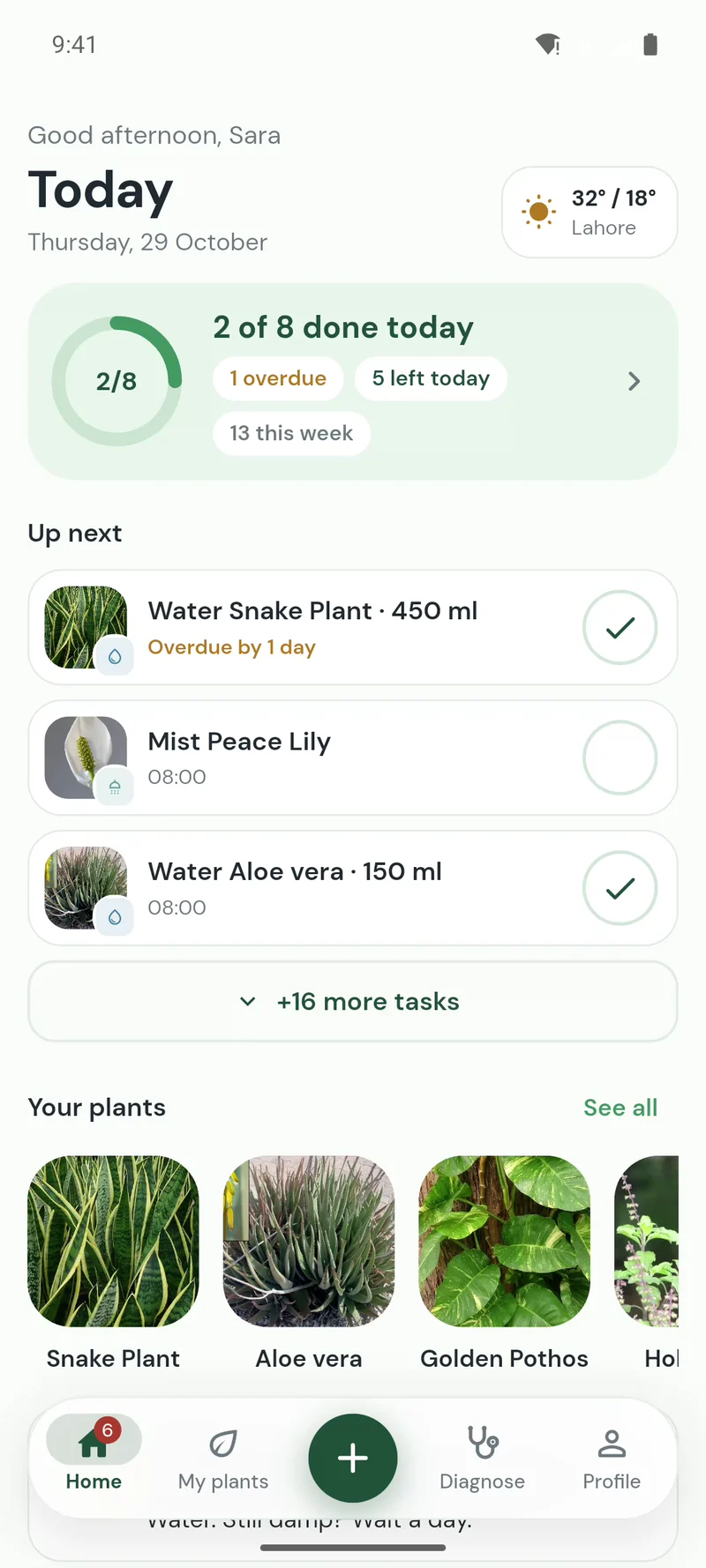
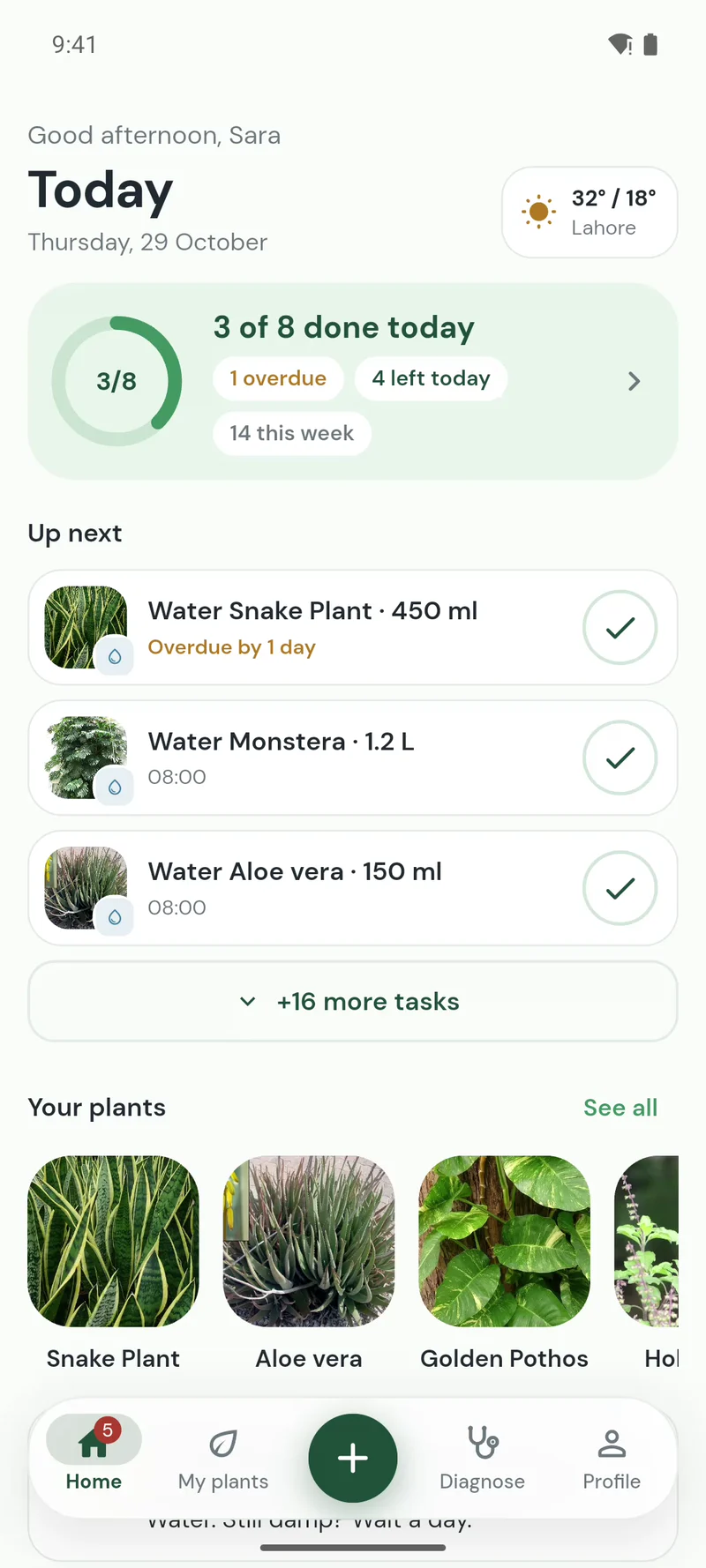
Open PlantHaven and see what your plants need today: water the snake plant, mist the peace lily. Tick it off and the next date is set for you.
- Watering reminders
- Snooze to tomorrow
- One daily summary
 PlantHaven
PlantHaven makes a care plan for every plant you own, reminds you when to water, feed and repot, and helps when one looks unwell.
 iPhoneComing soon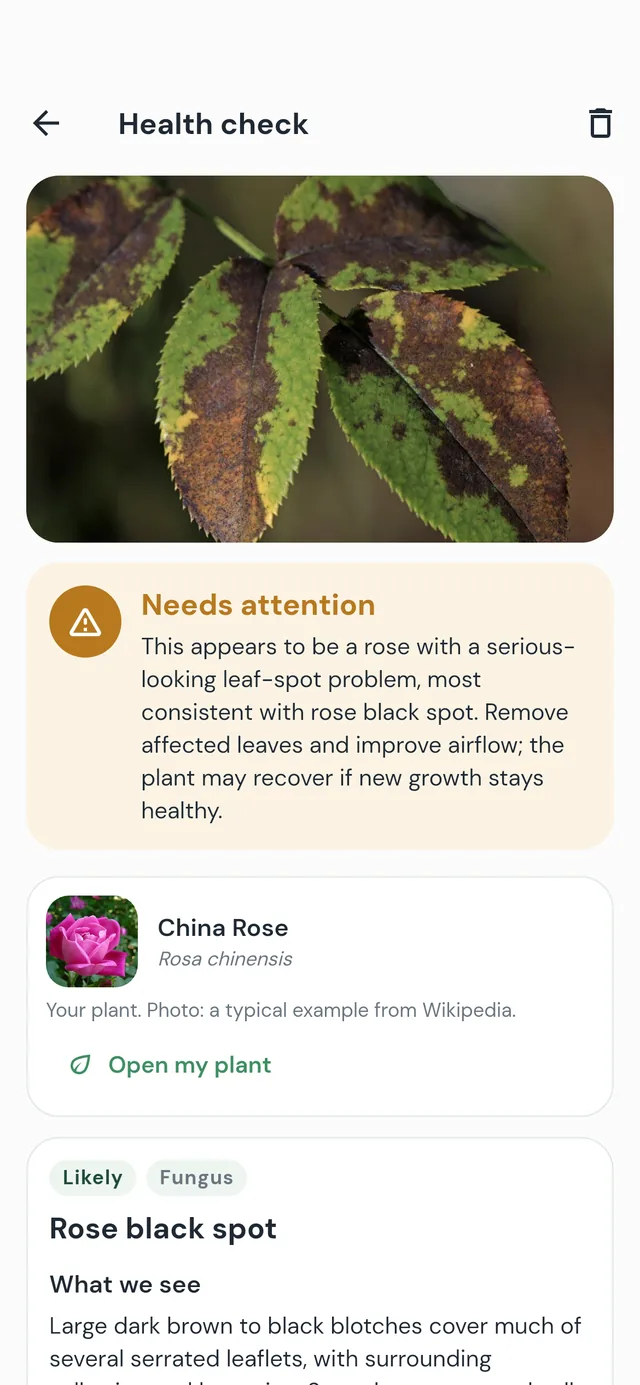
Features
Open PlantHaven and see what your plants need today: water the snake plant, mist the peace lily. Tick it off and the next date is set for you.
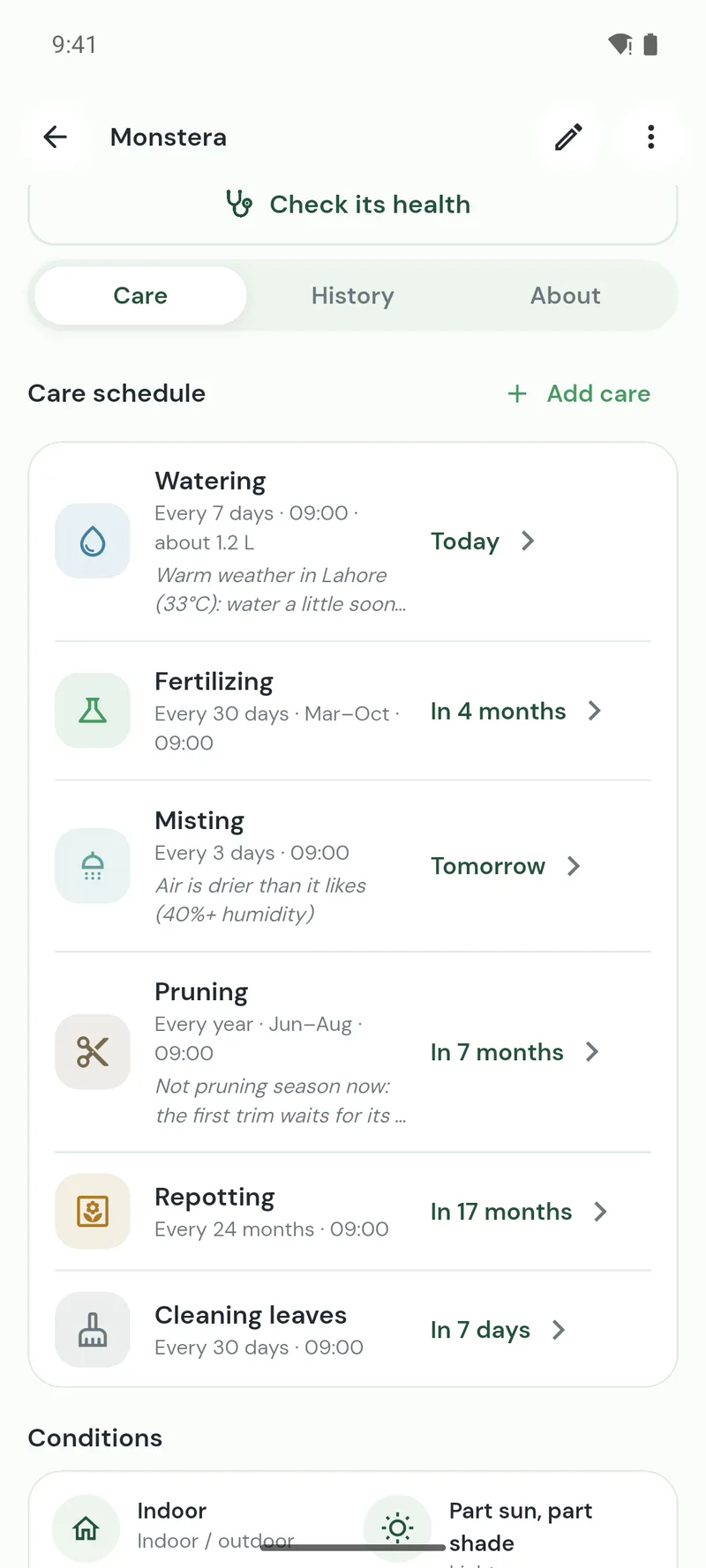
Tell PlantHaven where it lives, how much light it gets, the pot and when you last watered. It works out how often to water and how much, and when to feed, mist, prune and repot.
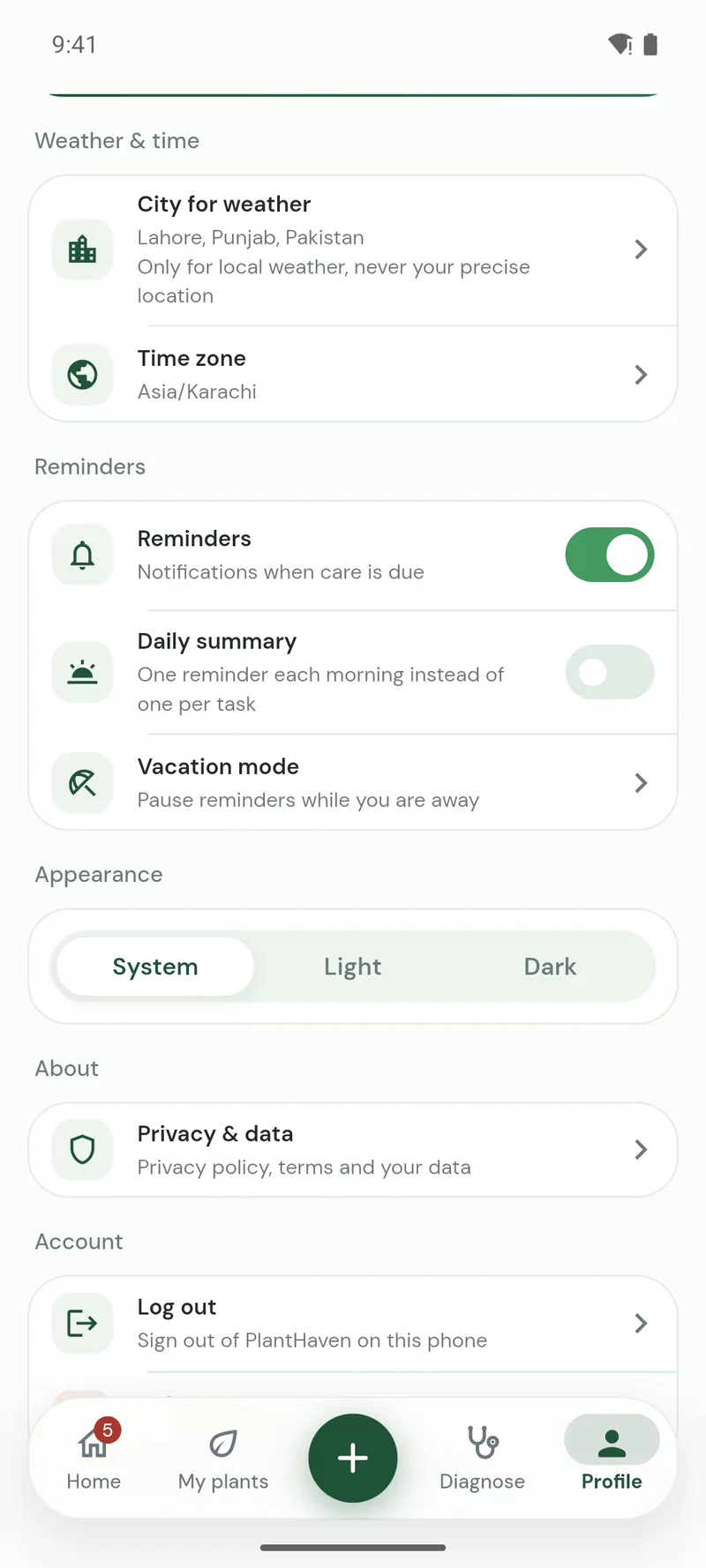
Pick your city and every plan follows the local weather and the season: more water in a heatwave, less while plants rest, and a hint when rain has already done the job outside.
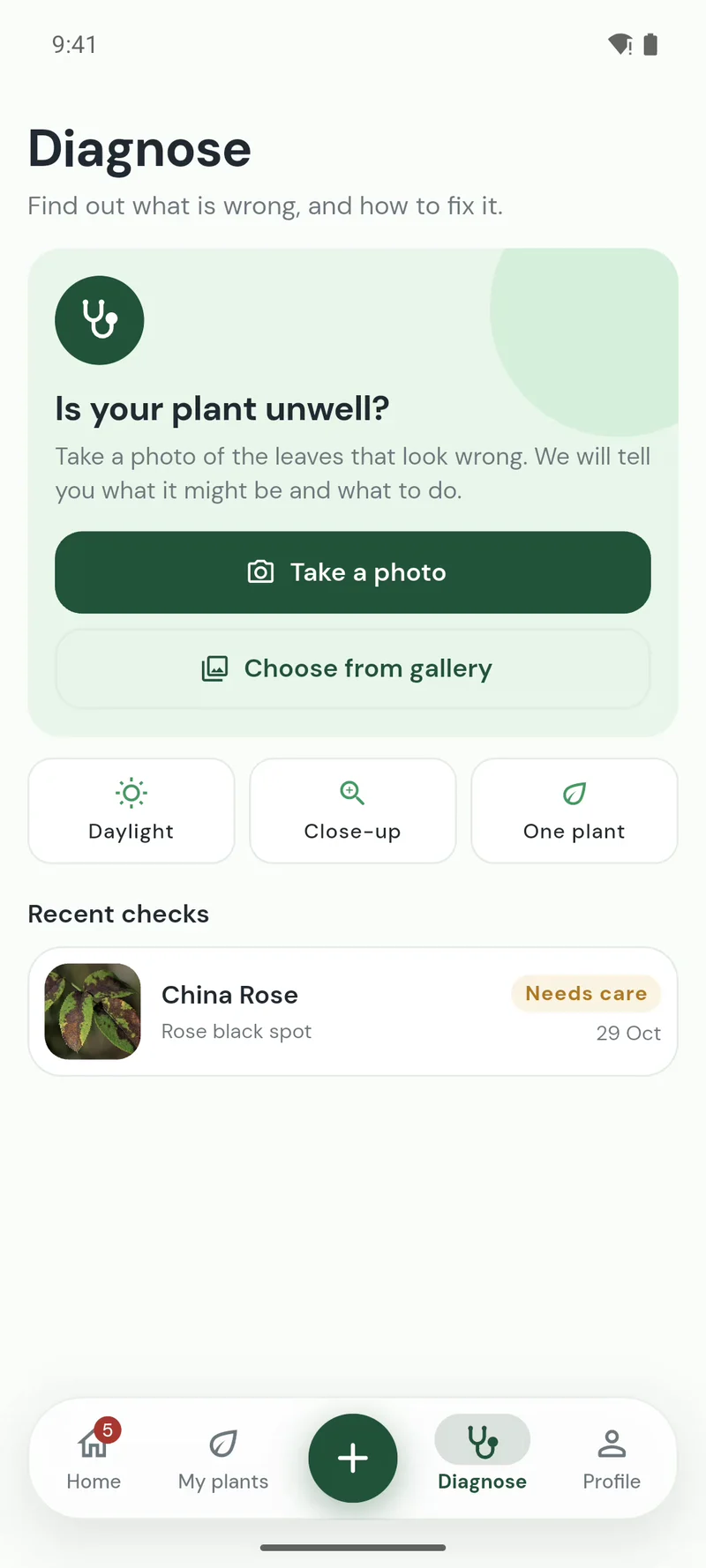
Take up to three photos of the plant. PlantHaven suggests what may be wrong, how likely it is and what to do next, and keeps every check so you can watch it recover.
Point your camera at a leaf or flower and PlantHaven suggests what it is, with how sure it is. Or search by name, or pick from popular houseplants.
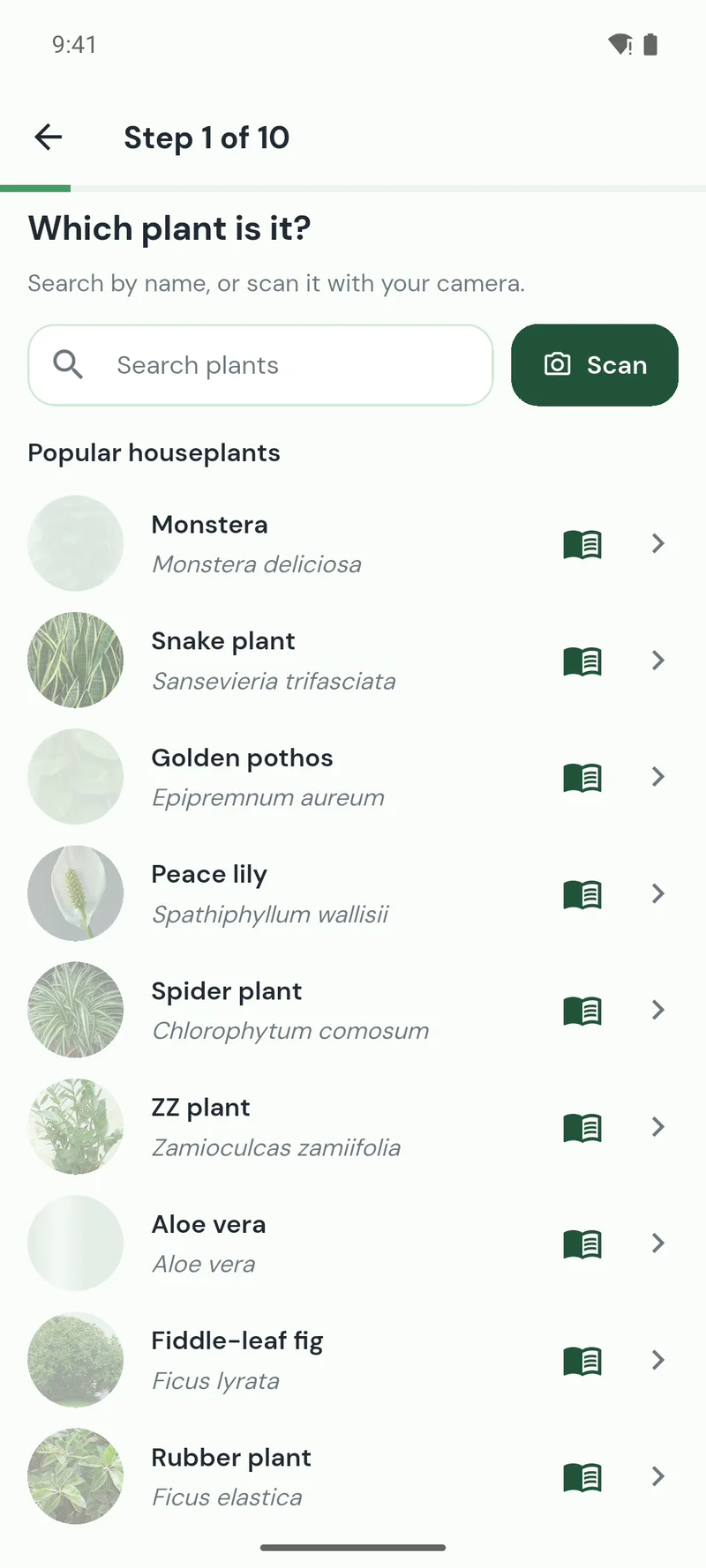
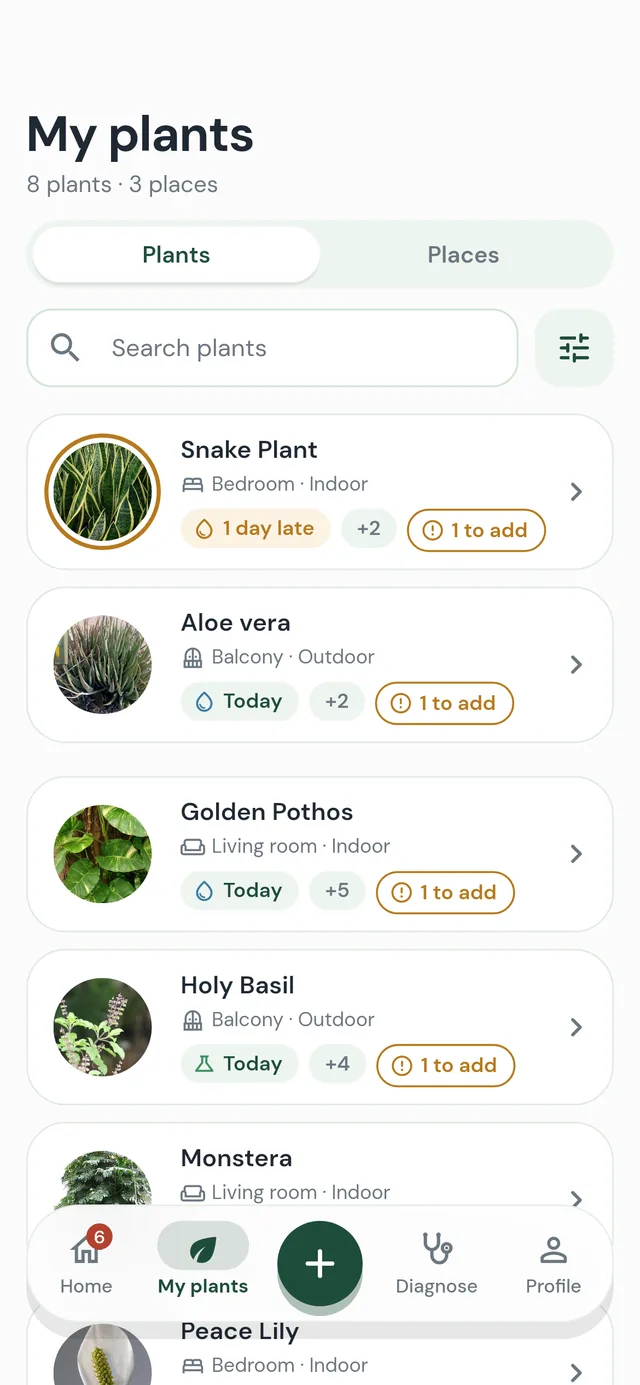
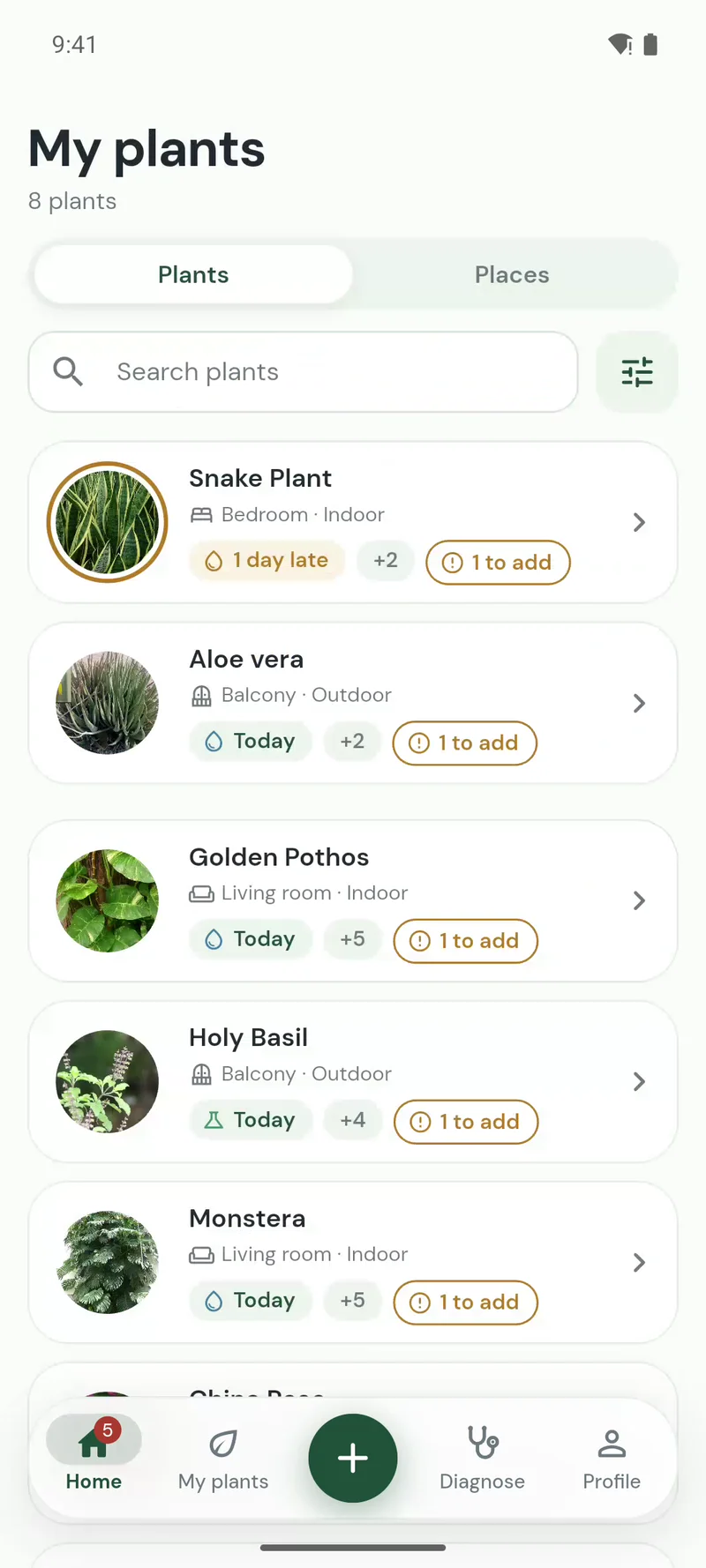
Add a plant by name, from the popular list or by scanning a photo. Group them by place, the balcony or the bedroom window, and see at a glance who needs you next.
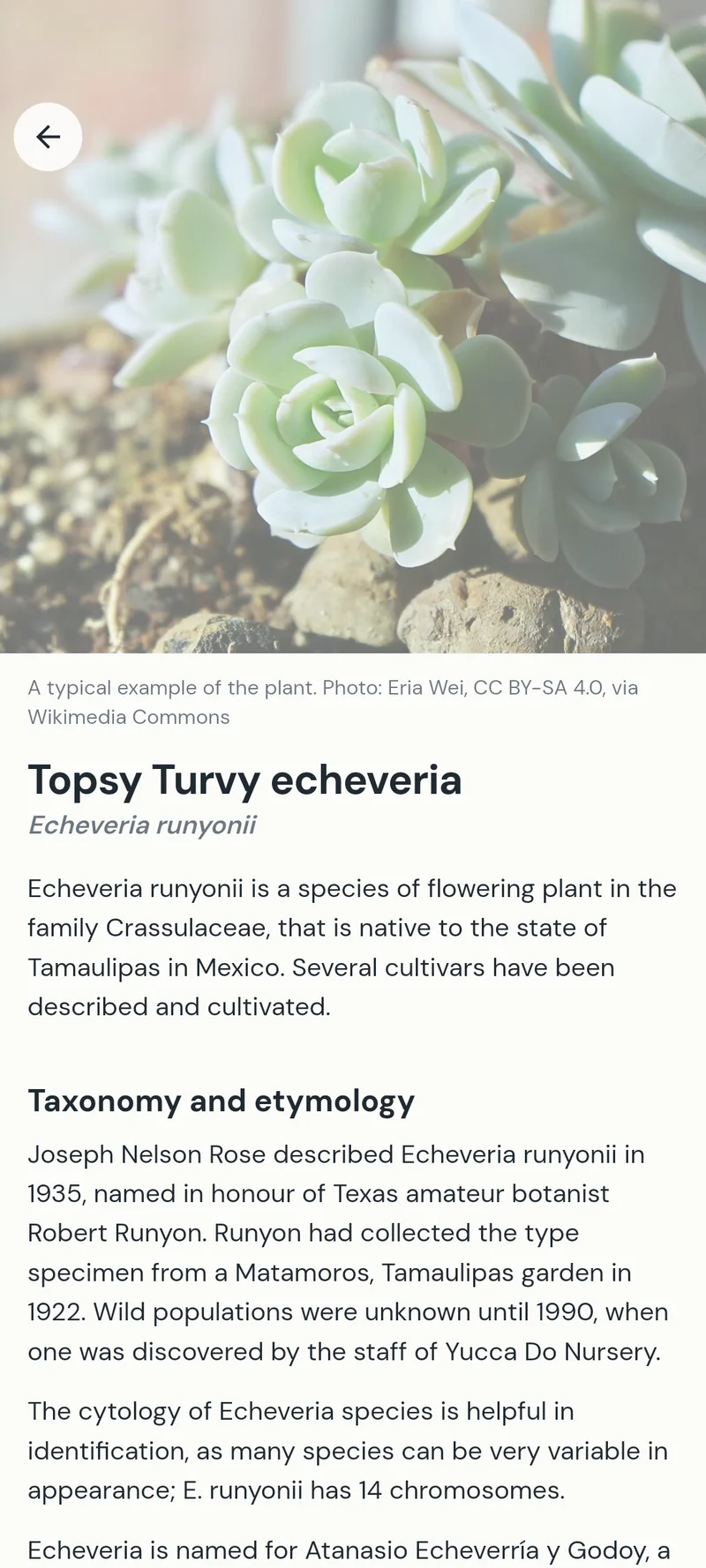
Open the full Wikipedia article on its species right in the app: where it comes from, how it grows and its varieties, with a reference photo so you know what a healthy one looks like.
PlantHaven follows your phone’s light or dark mode, and text grows with your font size. Short words, big buttons, nothing to learn.
 Yellow between the veinsBrown edgesPale new leaves
Needs attention
Health check
Take up to three photos of the plant. PlantHaven looks at the leaves and tells you what may be wrong, how likely it is and what to do about it.
Answers are AI-generated suggestions and can be wrong. Every check is saved, so you can watch the plant recover.
How it works
Search by name, pick from popular houseplants or scan a photo to identify it.
Where it lives, its light, its pot and when you last watered. About a minute.
Watering, feeding, misting and repotting, with reminders at the time you choose.
The app, start to finish
Recorded on a real phone: from a new plant to its care plan, and a health check when something looks wrong.
Pricing
Everything you need to keep plants alive.
For bigger collections and plant parents who check often.
Premium is billed by Google Play, and you can cancel any time.
FAQ
Yes. Plants, care plans and reminders are free with no limit. Free includes 1 health check and 2 plant scans a week, and a short ad gives you more. Premium, monthly or yearly, raises that to 50 checks and 100 scans a month and removes ads.
It starts from what your plant’s species needs, then adjusts for its place, light, pot size and material, the season and the weather in your city. The plan is recalculated every day, so a hot week brings watering forward.
Yes. Scan a photo when you add a plant and PlantHaven suggests what it is. Identifications are suggestions, so you can always pick a different plant.
Take up to three photos with a health check. PlantHaven suggests the most likely problems, such as overwatering, pests or leaf spot, and what to do. The answers are AI-generated and can be wrong, so treat them as advice, not a diagnosis.
PlantHaven is on Android now through Google Play. The iPhone version is coming soon.
No. You choose your city by name for the weather; the app never asks for your location and never tracks you across apps.
Yes, in the app under Profile: we email you a code, and once you enter it your account, plants and photos are deleted at once. You can also ask us by email.
Free on Android. Add your first plant in about a minute.
iPhoneComing soon